

How do customers book online? Follow Chris
Booking on your booking site takes a customer just a few minutes. There's no app to download, no account to create, and no password to remember.
Chris opens the link
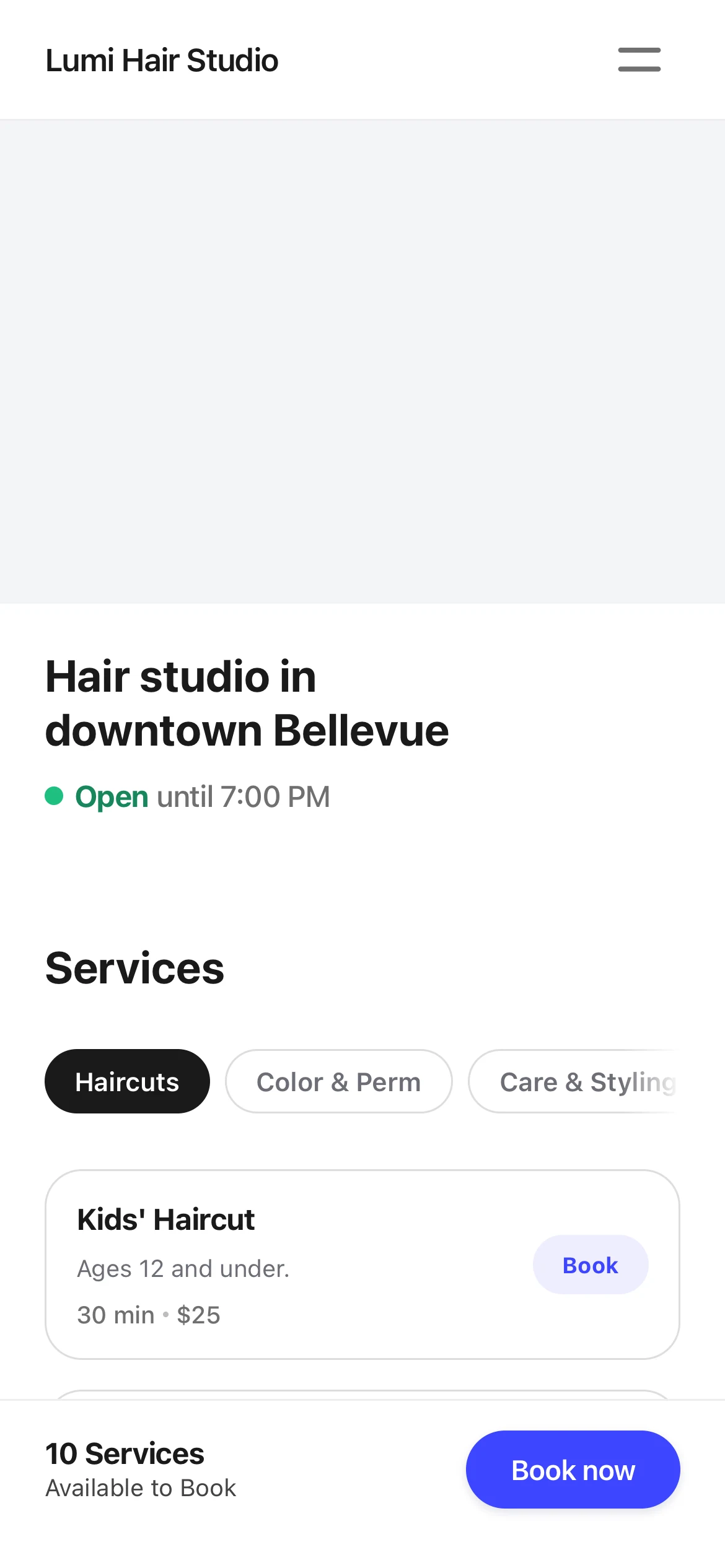
Chris sees the booking link on the salon's Instagram and taps it. The Lumi Hair Studio booking site opens on his phone. At the top is the space for a cover photo. Lumi Hair Studio hasn't added photos yet, so it's a plain gray box for now. Below it are the site's title, the opening time, and the services. It isn't 10 yet, so it says when the salon opens.
The services are grouped: Haircuts, Color & Perm, and Care & Styling. Chris wants a haircut. Under Haircuts he finds Men's Haircut and taps “Book” next to it.
Meiling set up the photos, name, and description in Kaila. A few good photos make the site look much better.
An option and a professional
First, the page describes the service. Under “Select an option”, it lists the length and price of each option. Chris picks Standard, 30 minutes. When there is only one option, it is already selected. He taps “Continue”.
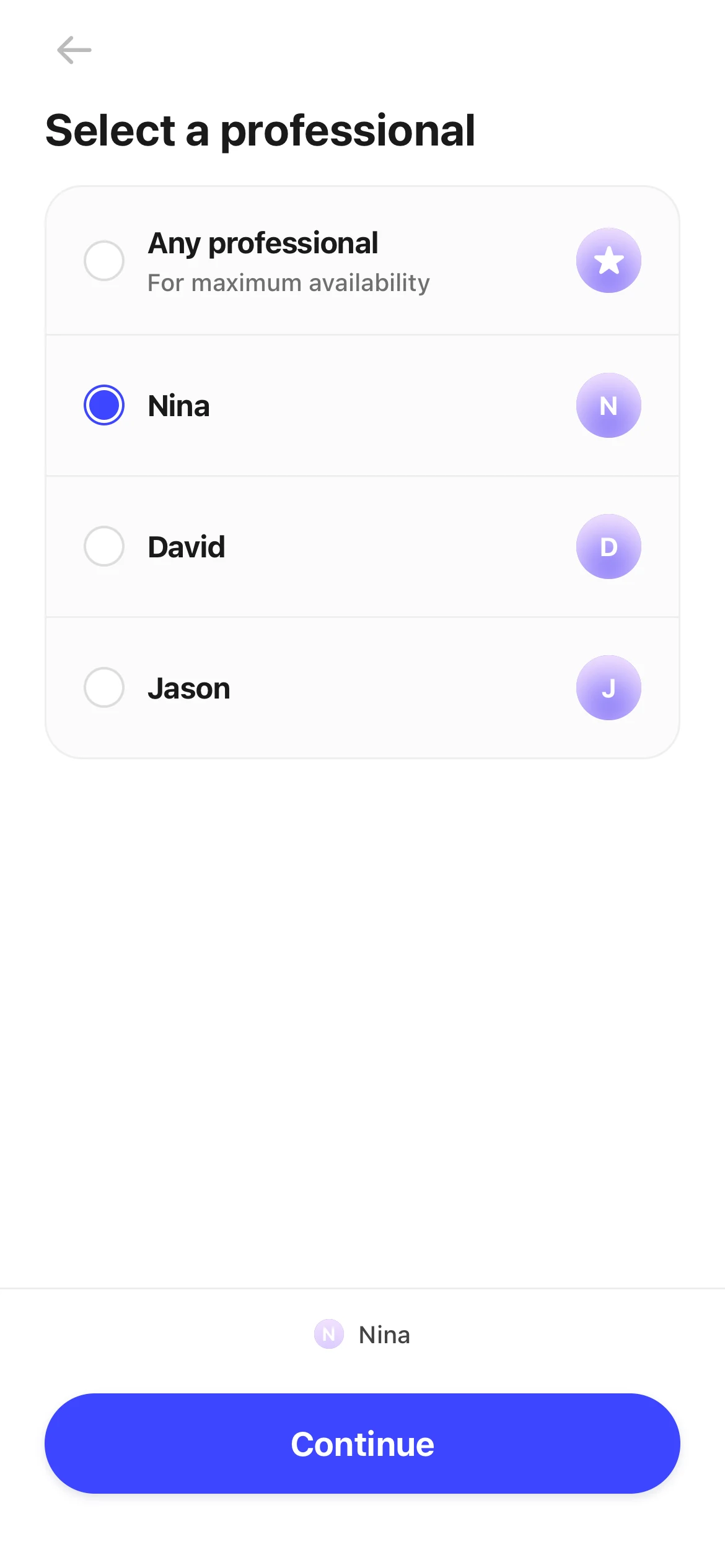
Next is “Select a professional”, with Nina, David, and Jason. Nina cut Chris's hair last time, so he picks her again. A customer who doesn't mind who does it can pick “Any professional”.
If your business doesn't let customers choose, this page doesn't appear, and Kaila assigns someone.
A date and a time
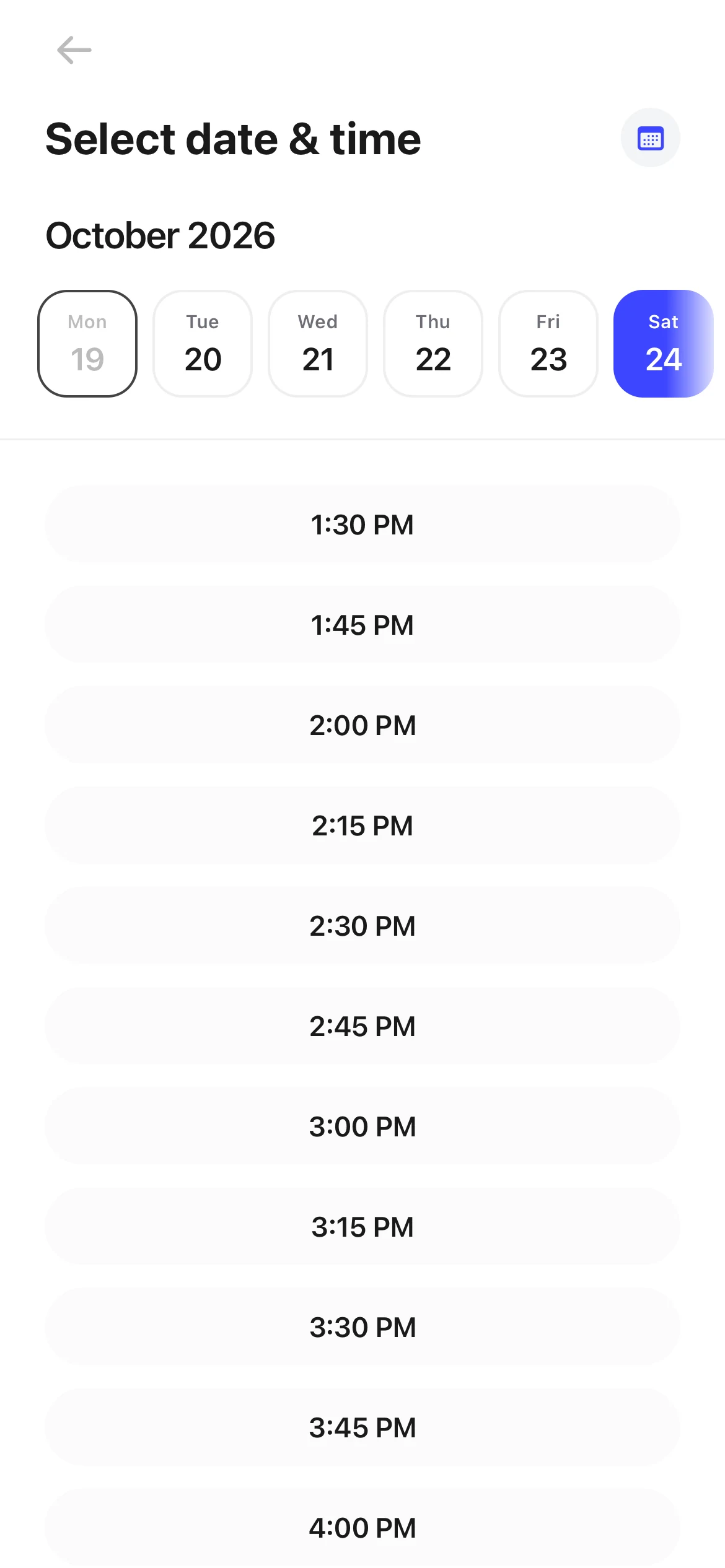
On “Select date & time”, there is a row of dates at the top, and the open times below. Only times that are really free show up: the business is open, Nina is working, and nothing else is booked.
He taps Saturday the 24th, then 11:00 AM. If a day is full, it says “No availability on this day”. He can tap “See next available date” to jump ahead.
His details, then Book
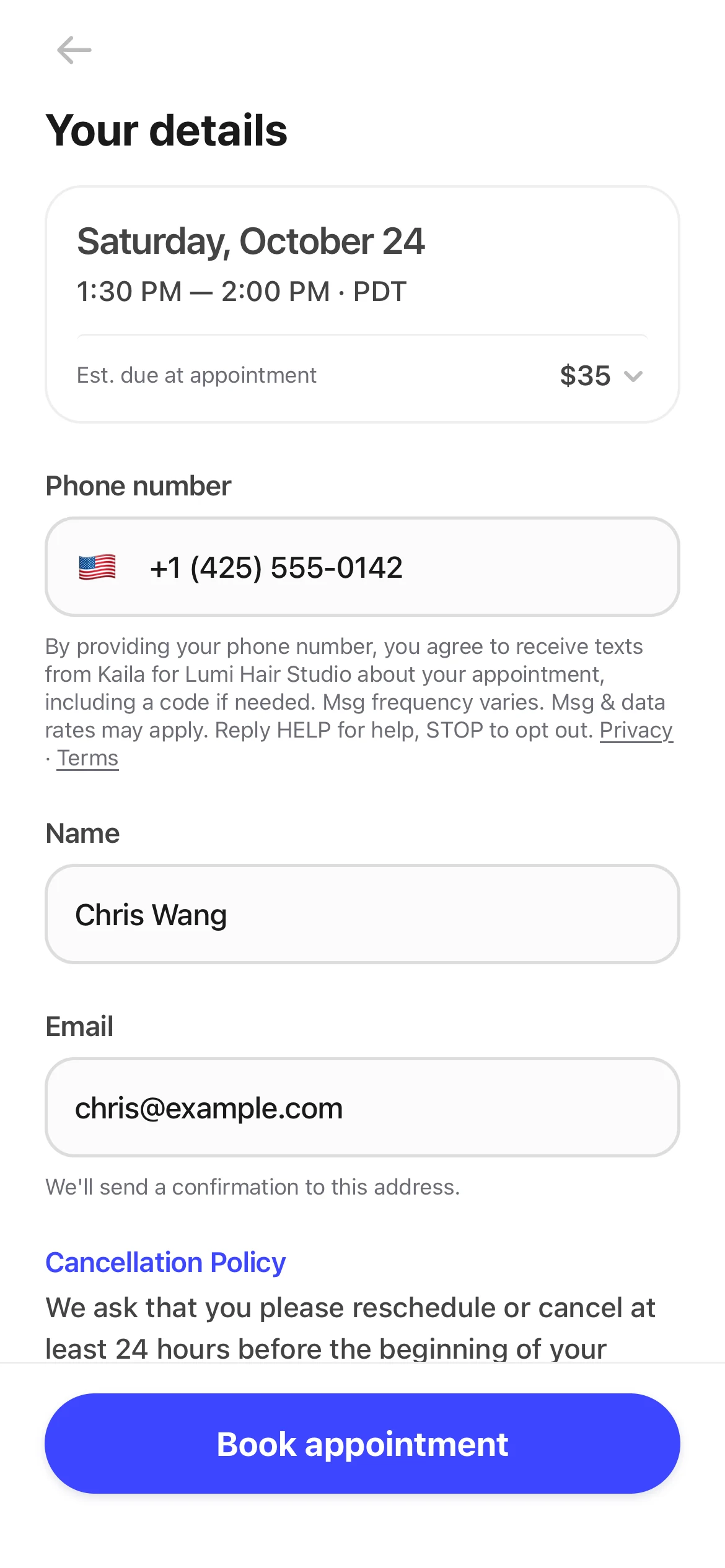
At the top of “Your details” is the time he picked: Saturday, October 24, 11:00 to 11:30 AM. Below it, the page asks for only three things: “Phone number”, “Name”, and “Email”. All three are required. The confirmation email goes to that address.
The page also shows “Est. due at appointment”: $35. Chris doesn't pay online. He taps “Book appointment”.
A business can turn on “Ask for a code” under “New-customer verification”, in “Settings › Advanced features”. Then a new customer booking with a number for the first time sees “One last step” and enters the “6-digit code” they get by text or call. Returning customers skip this. This setting is off by default.
Booked
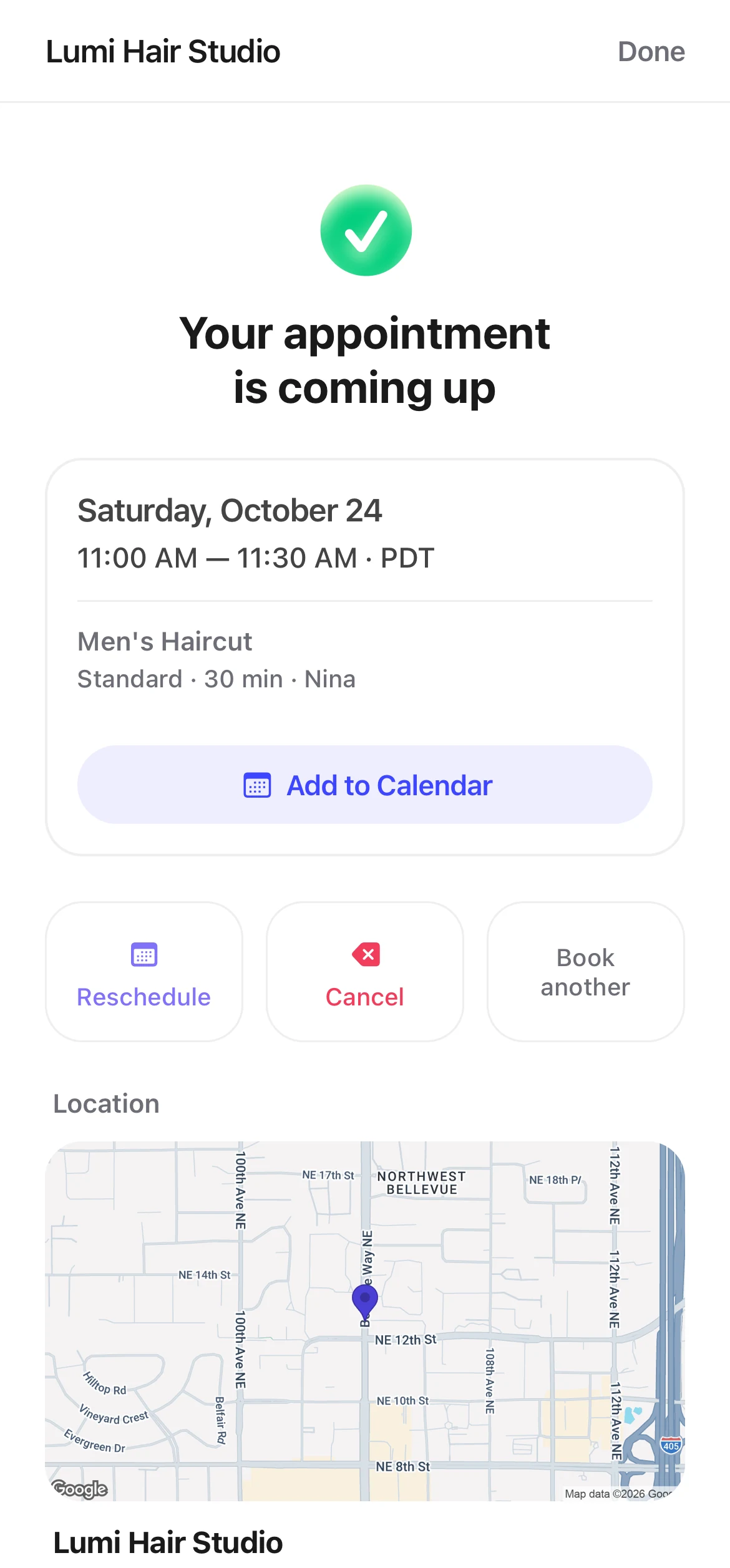
The page says “Your appointment is coming up”. Below are the time, the service, and the professional: Men's Haircut, Standard, 30 minutes, with Nina. Further down are the salon's address and a map.
Chris taps “Add to Calendar” to save the appointment in his phone's calendar. There are also “Reschedule”, “Cancel”, and “Book another”.
A moment later, he gets an email: “Thanks for booking with Lumi Hair Studio! We look forward to seeing you.” The link “Need to change something? You can see your booking, reschedule or cancel here” opens the same page again. If the business has customer texts on, he also gets a text that starts with Kaila: “You are booked at Lumi Hair Studio”, with a “Manage” link.
At the same time, Meiling's phone shows “New appointment”, with the time, Men's Haircut and Nina under it. The alert does not show Chris's name. Meiling turned on “Appointments” alerts in the Kaila app. She doesn't need to do anything. The appointment is already on her calendar.
A reminder
In “Settings › Booking settings”, Lumi Hair Studio has both “Text reminder” and “Email reminder” set to 48 hours before. So at 11 AM on Thursday, Chris gets a text, “Coming up at Lumi Hair Studio”, and an email, “Just a friendly reminder: your appointment at Lumi Hair Studio is coming up.”
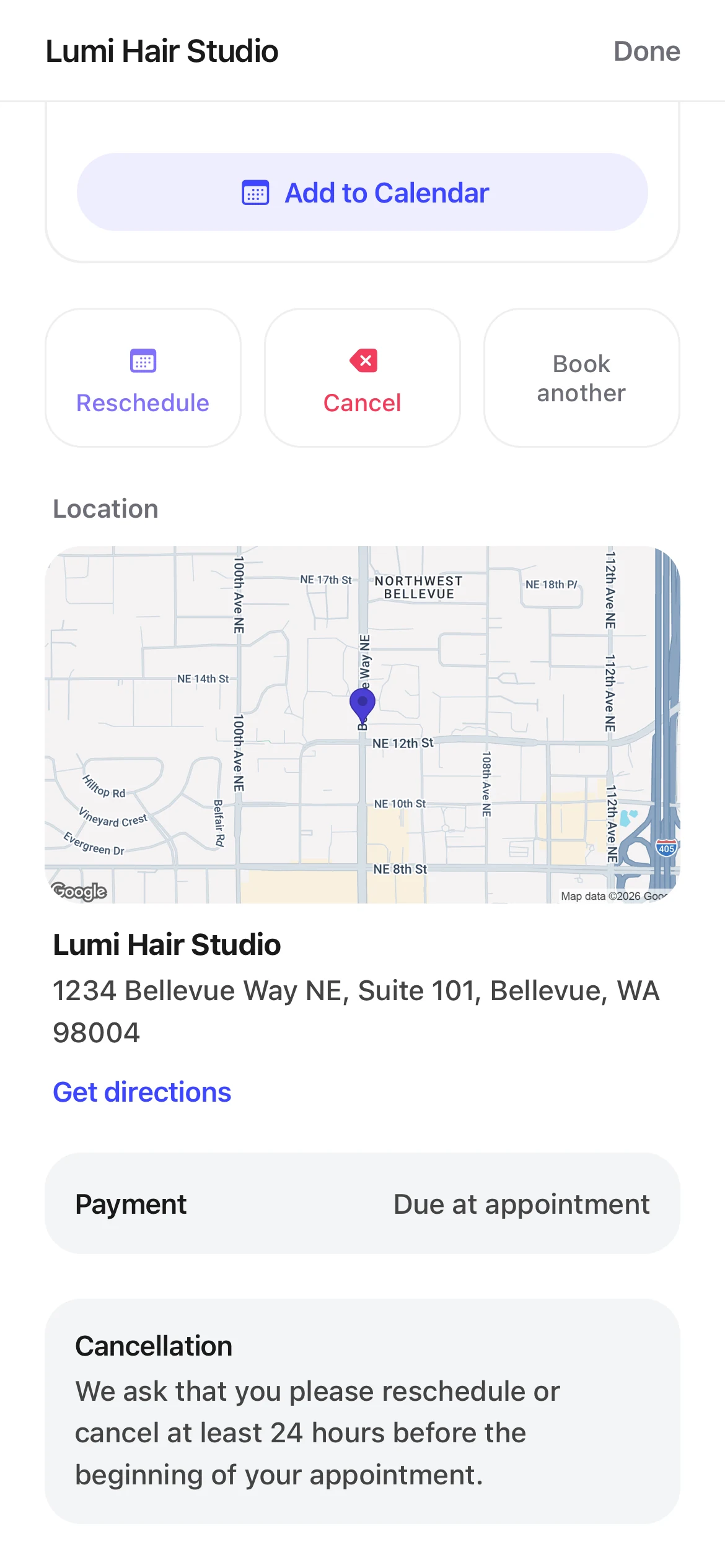
The reminders have a link too. Further down that page are the salon's address, “Payment” with “Due at appointment”, and the cancellation rule.
Chris reschedules
Something comes up on Saturday morning. Chris taps the link in his reminder to open his appointment, then taps “Reschedule”.
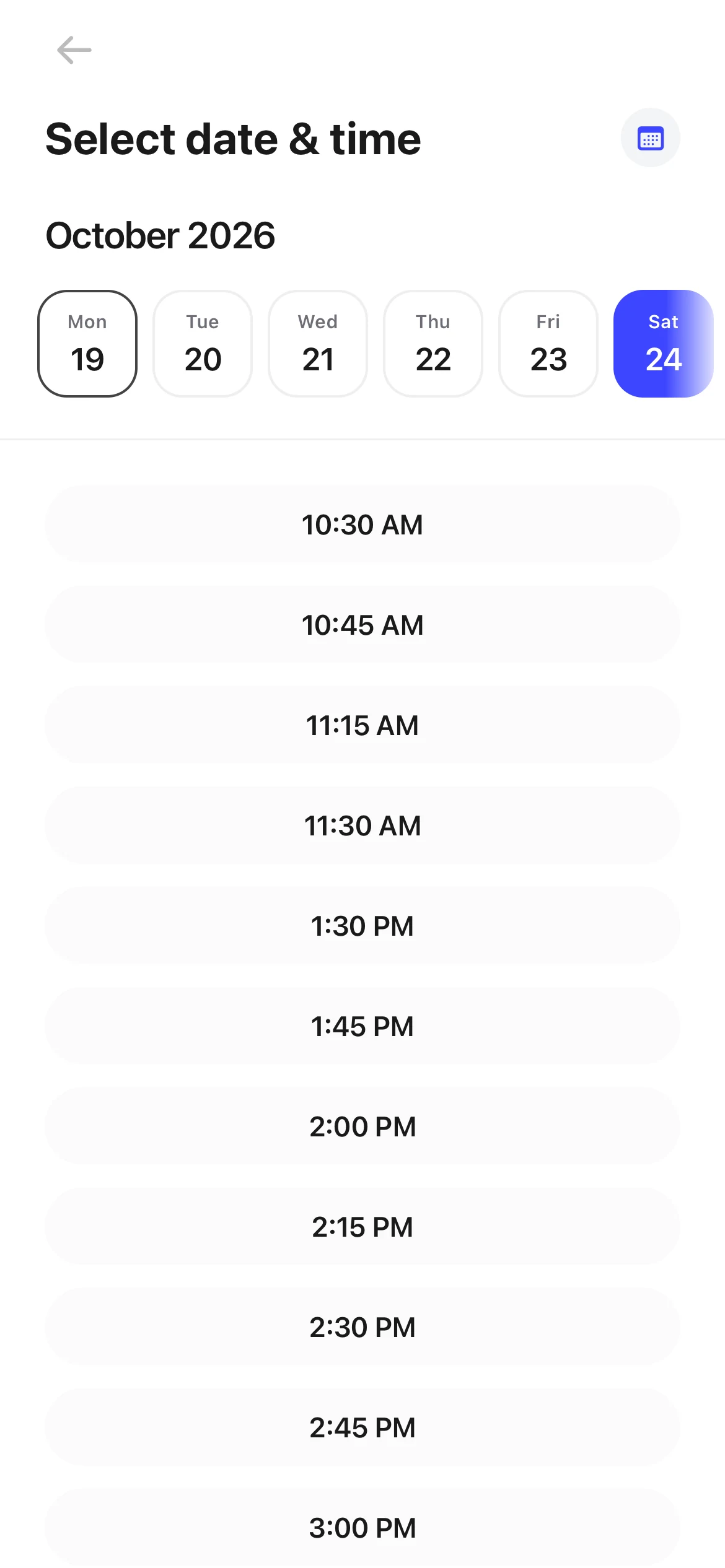
The page lists the times still open on Saturday. He picks 2:00 PM. The page asks “Change to this time?” and he taps “Yes, change it”. Right away he gets a text: “New time at Lumi Hair Studio”. Meiling's phone shows “Customer rescheduled”, with the new time.
To cancel instead, a customer taps “Cancel”, and the page asks “Cancel this appointment?”. “Yes, cancel it” cancels it. “Keep it” leaves it as it is. After a cancel, the page shows “Appointment cancelled”, and Meiling gets “Customer canceled”.
At Lumi Hair Studio, the “Cutoff for changes” is 24 hours. The appointment page says: “We ask that you please reschedule or cancel at least 24 hours before the beginning of your appointment.” Less than 24 hours before the appointment, “Reschedule” and “Cancel” turn gray. Tapping one shows: “It's less than 24 hours before your appointment, so it can't be changed online. Please call the business.” So Chris had until 11 AM on Friday to change it, and he did it on Thursday.
Chris arrives
Nina is ready for him. Chris took three minutes to go from the link to a booked appointment. Rescheduling took a few taps. Meiling didn't have to take a single phone call.
Features in this story
- How do I change my booking site's photos, name, address, and description?
- Can customers choose their professional? How do I turn on group booking?
- How do I set my business hours?
- How do I turn on customer texts for my business?
- How do I get new appointment notifications on my phone?
- What texts and emails do customers get?
- How far ahead can customers book, and how much time is left between appointments?