
How far ahead can customers book, and how much time is left between appointments?
For: Owner, Manager
In short
Go to “Settings › Booking settings”, tap a row, choose a time, and tap “Save”. The five rules sit in three groups: “Booking rules”, “Customer experience” and “Time”.
Steps
- Go to “Settings › Booking settings”.
- Find the row in its group and tap it. A short explanation and the choices open below it.
- Choose a time, then tap “Save” at the top right.
Where each rule is
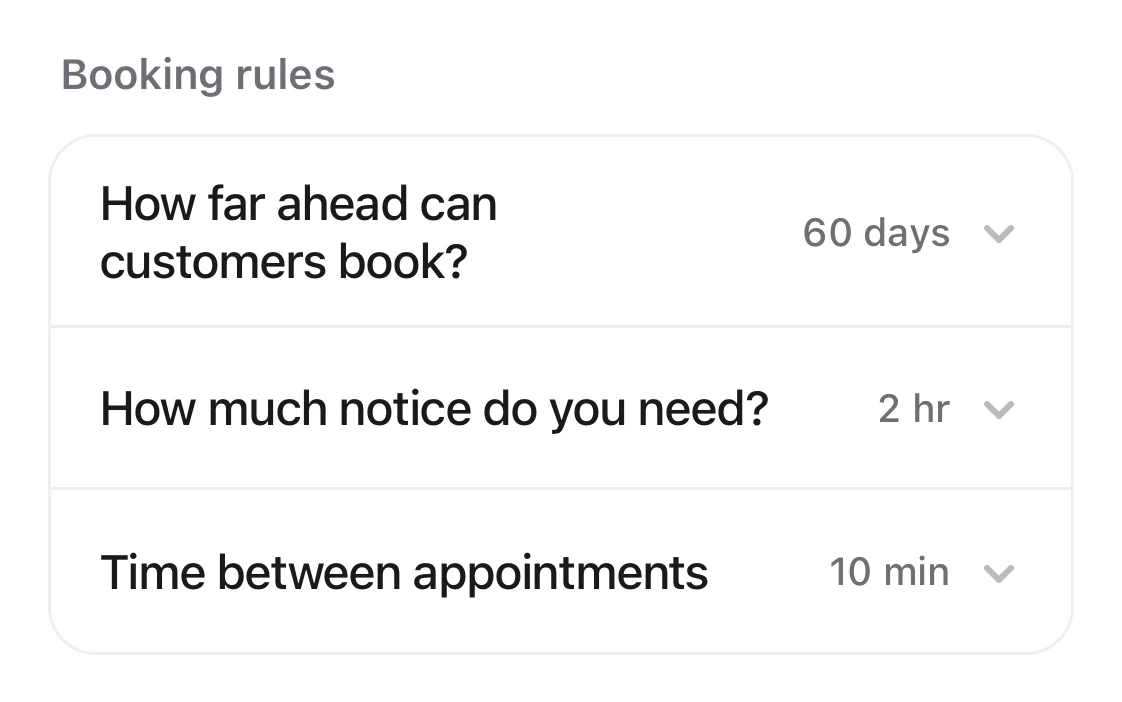
- “Booking rules”: “Booking window”, “Minimum notice” and “Time between appointments”.
- “Customer experience”: “Cutoff for changes”, the last row of the group.
- “Time”: “Start time interval”, the only row.
What each rule does
- “Booking window”: the most days ahead a customer can book. Choose 7, 14, 30, 60 or 90 days.
- “Minimum notice”: how long before the start customers can no longer book online. Choose “No limit”, or 1, 2, 4, 12 or 24 hours.
- “Cutoff for changes”: how long before the start customers can no longer cancel or reschedule online. After that, they need to contact you. Choose “No limit”, or 1, 2, 4 or 24 hours.
- “Time between appointments”: free time after each appointment, so staff can get ready for the next customer. Choose 0, 5, 10, 15 or 30 minutes.
- “Start time interval”: when appointments can start, for example every 15 minutes. Choose 10, 15, 20 or 30 minutes. The calendar grid uses this interval too.
Good to know
- “Booking window”, “Minimum notice” and “Cutoff for changes” limit online booking only. When you add an appointment on the calendar yourself, they don't apply.
- “Time between appointments” and “Start time interval” also apply to appointments your team adds.