
What texts and emails do customers get?
For: Owner, Manager
In short
Customers get a message when they book, when the appointment is coming up, when the time changes, when it is canceled, and when they don't show up. All messages are in English. Every text starts with the word Kaila.
When messages go out
- Booking confirmation: sent when a customer books online. For an appointment your team adds, it is sent only if a notify box is checked.
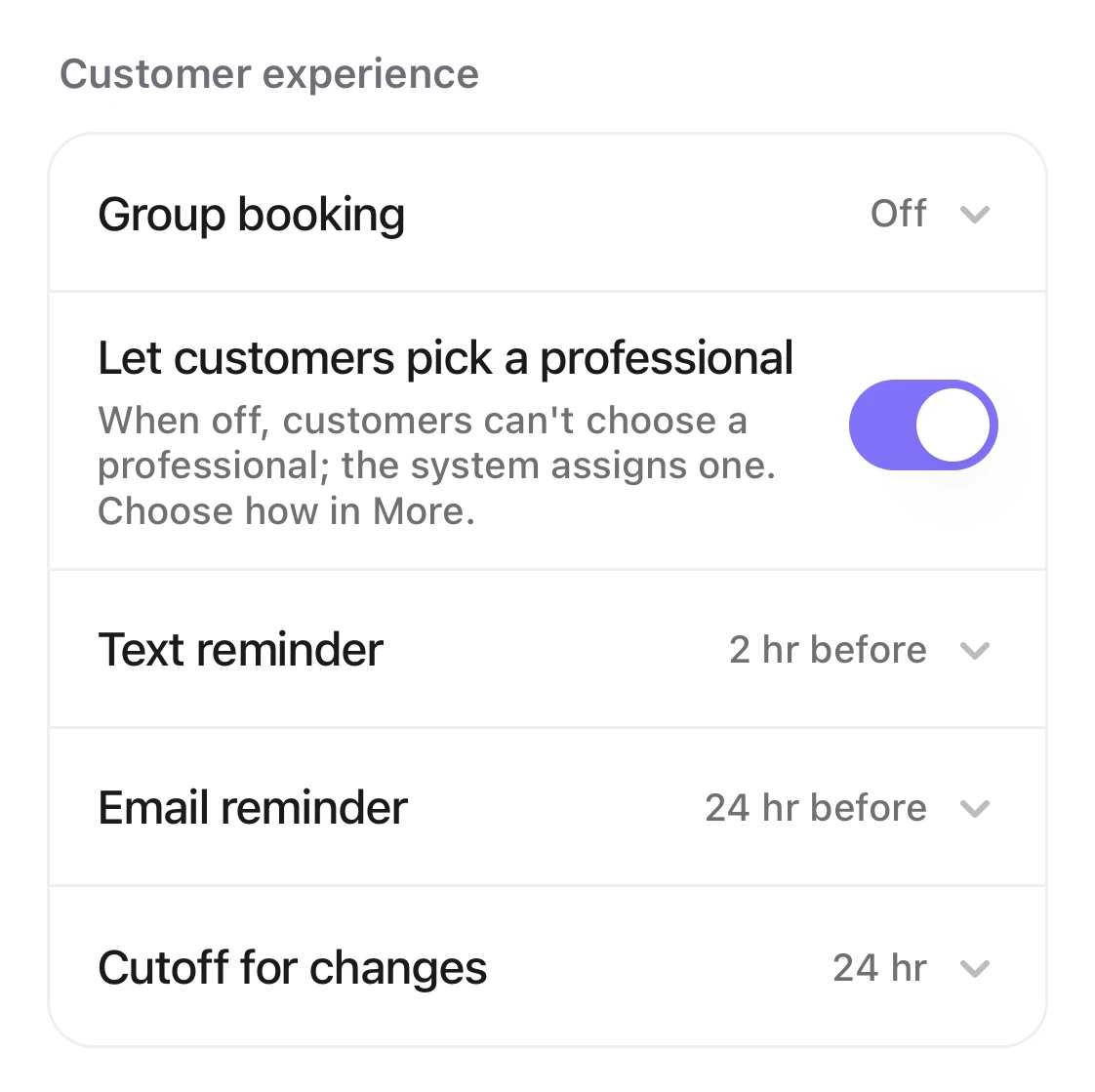
- Reminder before the appointment: texts follow the “Text reminder” setting, and emails follow the “Email reminder” setting. Choose 1, 2, 4, 12, 24 or 48 hours before, or “No reminder”.
- Rescheduled, service changed, canceled or no-show: when customers change or cancel online themselves, they always get a message. When your team makes the change, it is sent only if a notify box is checked.
- Group bookings have their own messages, which include the number of people.
Text or email
- If the customer left an email, they get an email.
- A text needs all of these: texts are on for your business, the customer left a phone number, the customer agreed to texts, and they never replied STOP.Why didn't my customer get a text?
- Texts are charged per segment from your business's balance. When the balance runs out, texts stop, and emails still go out.How do I turn on customer texts for my business?
- Confirmation, reminder and reschedule texts have a link. The customer can use it to see, reschedule or cancel the appointment. Cancellation and no-show texts have a link to book again.
Good to know
- Text reminders go out only between 8 AM and 9 PM. If a reminder would go out too early, it is sent at 9 PM the evening before.
- If your team adds an appointment without checking a notify box, the customer also gets no reminder.