
Can customers choose their professional? How do I turn on group booking?
For: Owner, Manager
In short
Yes. When “Let customers pick a professional” is on, customers choose their professional when they book online. When it is off, Kaila chooses for them. Turn on group booking on the same page, under “Group booking”.
Steps
- Go to “Settings › Booking settings”.
- Turn “Let customers pick a professional” on or off.
- Tap “Group booking” and choose “Off”, or a size from “Up to 2 people” to “Up to 10 people”.
- Tap “Save” at the top right.
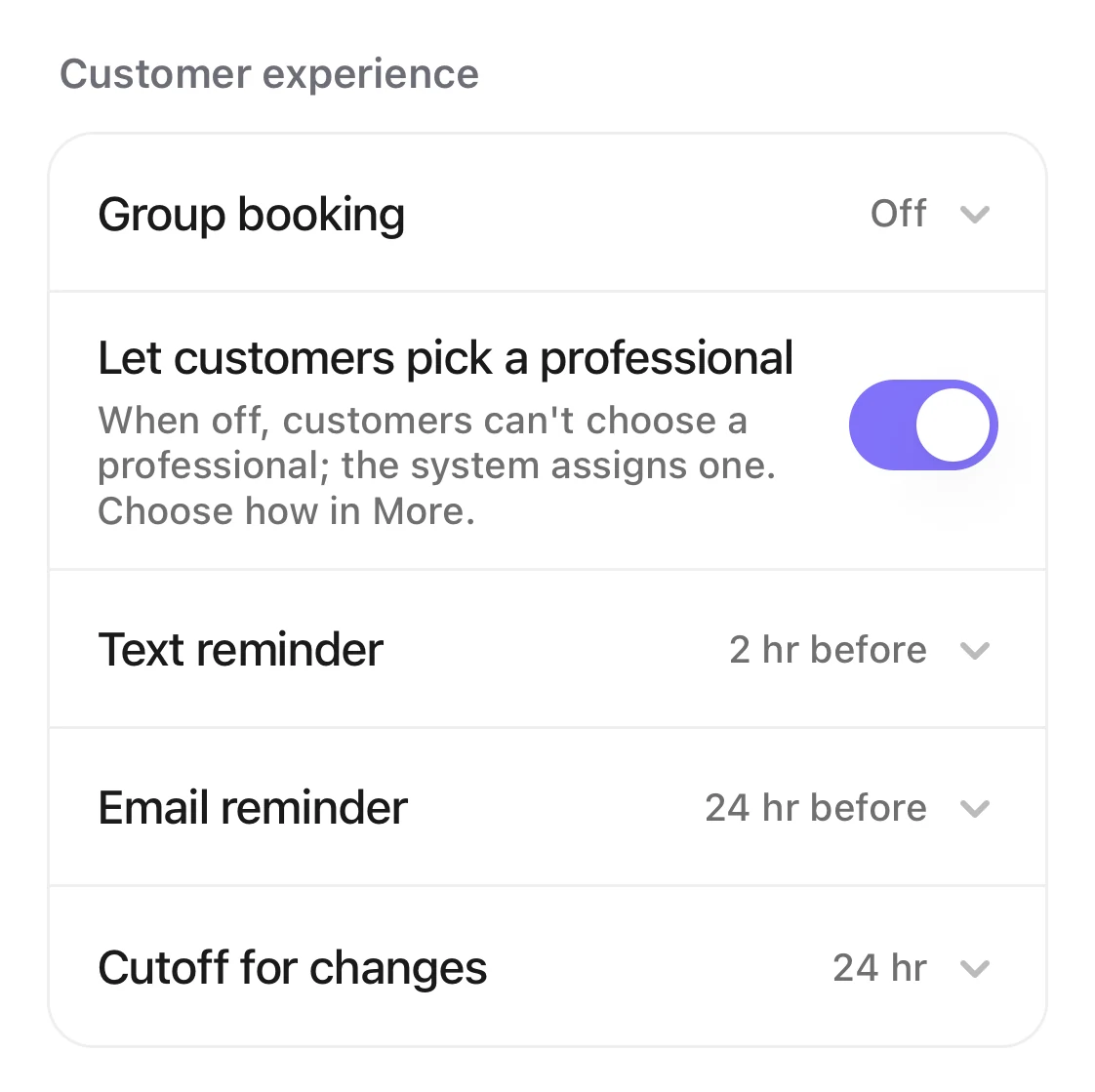
The Customer experience group: Group booking is Off, and the switch to let customers pick a professional is on.
Good to know
- When “Let customers pick a professional” is off, choose how Kaila assigns staff in “Settings › Advanced features › Staff assignment”: under “Assignment method”, “Take turns”, “By number of appointments” or “By booked time”. To let some staff go first, also set “Priority levels” to “On”. Whether customer-requested appointments count toward workload is one choice for every method, under “Customer-requested appointments”.How does Kaila choose a professional when the customer doesn't?
- In a group booking, each person chooses their own service, and everyone arrives at the same time.
- A group is never larger than the number of staff who can serve at the same time, even if your limit is higher.