
How do I add the English text customers see?
For: Owner, Manager
In short
After you type the Chinese, tap “Translate”. The English shows under “What customers see”. Check it, fix anything wrong, then tap “Save”. Your booking site is in English, so this English text is required.
Steps
- Type the Chinese in the box, for example in “Service name”.
- Tap “Translate” next to it.
- The English shows under “What customers see”. Check it. If it's wrong, edit it.
- If you change the Chinese later, tap “Translate again” to update the English.
- Tap “Save”.
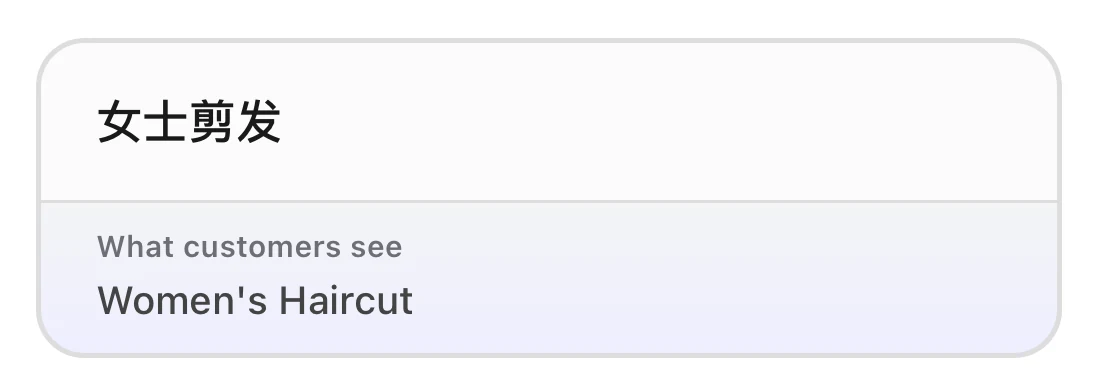
The service name in Chinese, with its English text for customers, Women's Haircut, on the line below.
Where English is needed
- Tap “Translate” for: “Service name”, “Description (optional)”, “Option name (optional)”, “Category name”, a staff member's “Bio (optional)”, and in your business info, “Website title”, “Website subtitle”, and “About us”.
- Type it yourself: a staff member's “Name” has no translate button. Type their English name under “What customers see”.
- “Business name” is English only: English letters (accents are OK), numbers, and common punctuation.
Good to know
- You can't save Chinese without English. The screen asks you to tap “Translate” to add the English.
- For an optional box, fill in both the Chinese and the English, or leave both empty. If there is only English, you see “Enter the text in Chinese”.
- If translation fails, you see “Couldn't translate right now. Enter the English text”. The English box opens so you can type it yourself.
- Only the owner and managers can use translation. Each business can translate up to 60 times an hour. After that, wait a while and try again.