
A customer says they can't book. What should I check?
For: Owner, Manager
In short
First check that the “Booking site” card at the top of “Settings” says “Live”. If it does, go through the list below, one item at a time. If the customer is in a hurry, you can book them yourself in “Calendar” first.
Check in this order
- Website status: If the card does not say “Live”, open “Website status” and fix each row with a red dot.What do “Live”, “Paused”, “Can't take bookings”, and “Offline” mean?
- Plan: If the trial ended and you haven't subscribed, or your plan has ended, online booking pauses by itself. The owner checks the “Base plan” in “Settings › Plan & billing”. Online booking comes back by itself after you subscribe.
- Business hours: In “Settings › Business hours”, check that the day is not “Closed”.
- Staff: In “Settings › Staff”, open each staff member who does this service. Check that “Bookable online” is on, that the service is in their “Services”, and that their “Hours” include that time. Then check “Calendar” for “Time off” on that day.
- Booking settings: In “Settings › Booking settings”, check “Booking window” and “Minimum notice”. If the time is too far away or too soon, customers can't book it.
- Blocked list: In “Customers”, tap “Blocked” and look for the customer's number. If they should not be there, open their profile and tap “Unblock”.
- New-customer verification: If “New-customer verification” in “Settings › Advanced features” is set to “Ask for a code”, a new number must enter a code, sent by text or call, before its first booking. Ask the customer to check that they got the code.
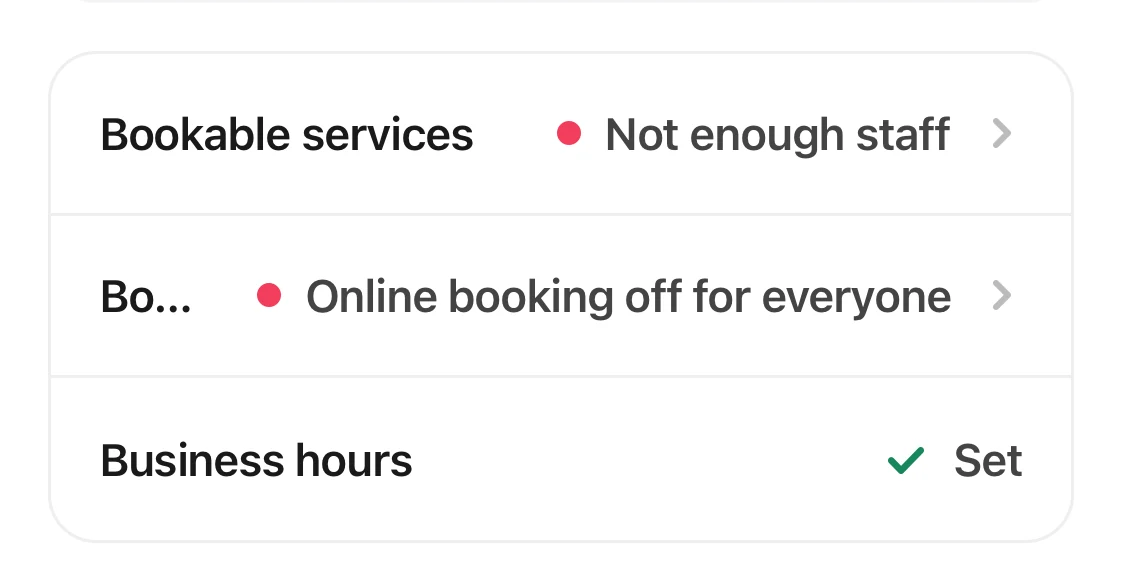
Three checklist rows: bookable services and bookable staff have red dots, and business hours are set.
Good to know
- One phone number can have up to 10 upcoming online appointments. Appointments your team adds in “Calendar” do not count toward this limit.
- If you checked everything and the customer still can't book, contact Kaila. Tell us the service and the time they want.
- If no customers can book at all, contact Kaila right away.
Related articles
- What do “Live”, “Paused”, “Can't take bookings”, and “Offline” mean?
- How do I set my business hours?
- How do I set a staff member's services and hours?
- How far ahead can customers book, and how much time is left between appointments?
- How do I block a customer?
- How do I add an appointment to the calendar, including a walk-in?