
What do “Live”, “Paused”, “Can't take bookings”, and “Offline” mean?
For: Owner, Manager, Front desk, Professional
In short
Only “Live” means customers can book online right now. “Paused”, “Can't take bookings”, and “Offline” all mean they can't, each for a different reason. The status is on the “Booking site” card at the top of “Settings”.
The four statuses
- “Live”: Your website is open, and customers can book online.
- “Paused”: Your business paused online booking. Customers can open your website, but they can't book.How do I pause or resume online booking?
- “Can't take bookings”: Your website is open, but something is missing, so customers can't book. It also shows “Can't take bookings” when your plan has ended (for example, your trial ended and you haven't subscribed).
- “Offline”: The owner took the website offline, so customers can't open it. To bring it back, tap “Put back online” in “Website status”.
What to do when it says “Can't take bookings”
- In “Settings”, tap “Booking site” to open “Website status”.
- Look at the three rows: “Bookable services”, “Bookable staff”, and “Business hours”. A row with a red dot is the problem. For example, it may say “None yet”, “Not enough staff”, “Online booking off for everyone”, or “Closed every day”.
- Tap the row with the red dot. It opens the settings page you need to fix. When it's fixed, the status changes back to “Live”.
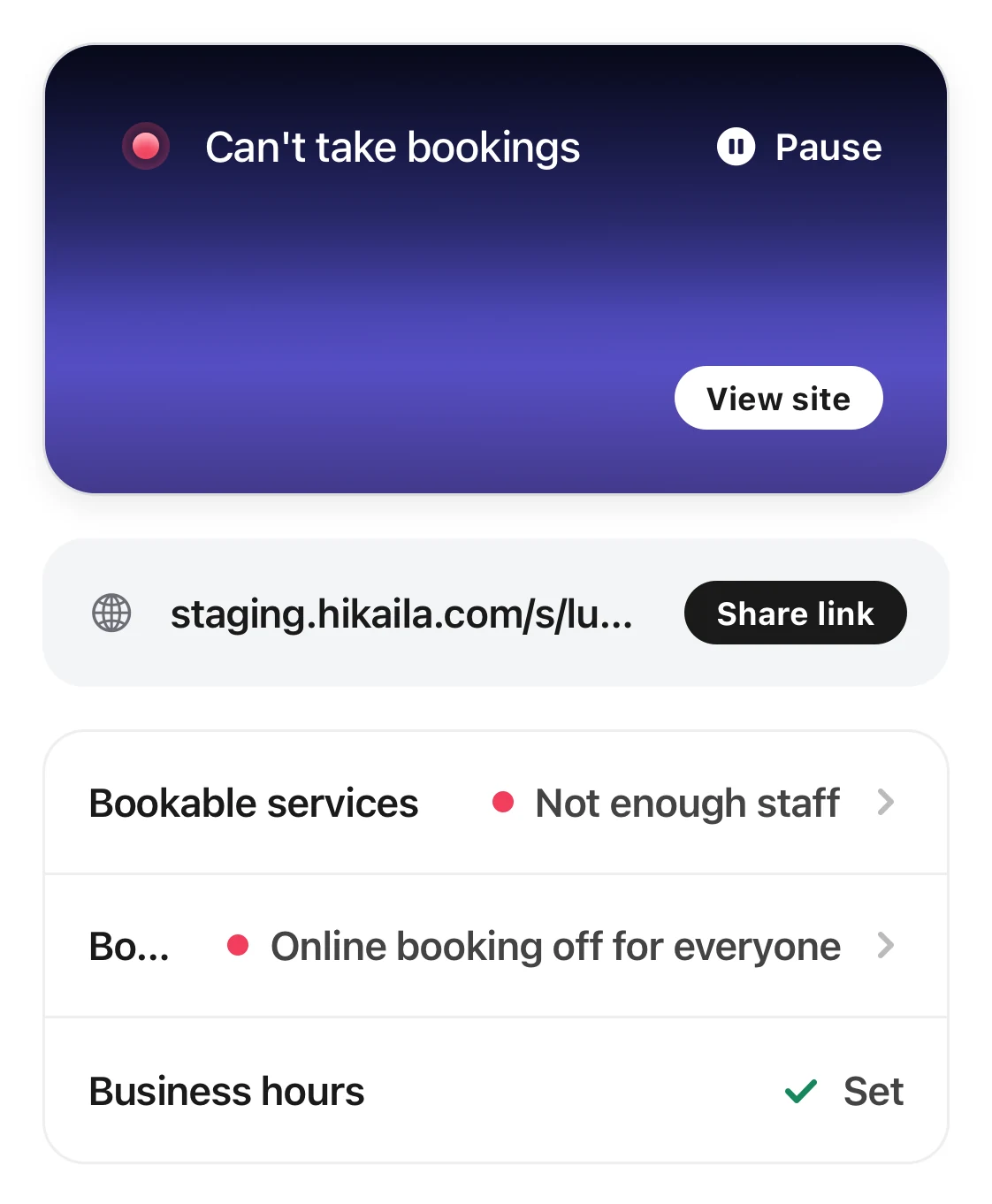
The status card says Can't take bookings, with two rows with red dots below that show what is missing.
Good to know
- If a new business has not published its website yet, “Website status” shows “Not published yet”, and the card shows “Paused”. Tap “Publish website” to start taking bookings.
- When your plan ends, online booking pauses by itself. The card in “Settings” shows “Paused”, and “Website status” shows “Can't take bookings”. The three rows may have no red dot, and there is no “Resume”. After the owner subscribes to the “Base plan” in “Settings › Plan & billing”, online booking comes back by itself.
- “Business hours” may show “Not set” while the website is still “Live”. This means you have not saved your own business hours yet. Set them once.
- Everyone on your team can see this card. Only the owner and managers can open it and change the status.