
How do I set a staff member's services and hours?
For: Owner, Manager
In short
Open the staff member's profile. Under “Online booking”, change “Bookable online”, “Services”, and “Hours”. Then tap “Save”.
Steps
- Go to “Settings › Staff” and tap the staff member.
- “Bookable online”: when it's off, customers don't see this person online, and Kaila doesn't assign appointments to them. Their current appointments stay. Your team can still choose them when adding an appointment.
- “Services”: tap it and check the services they do. If you check all of them, it shows “All services”, and new services you add later are included too.
- “Hours”: this starts as “Same as business hours”. Turn that switch off to set their own hours for each day.
- You can also change their “Name” and “Bio (optional)”.
- Tap “Save” in the top right corner.
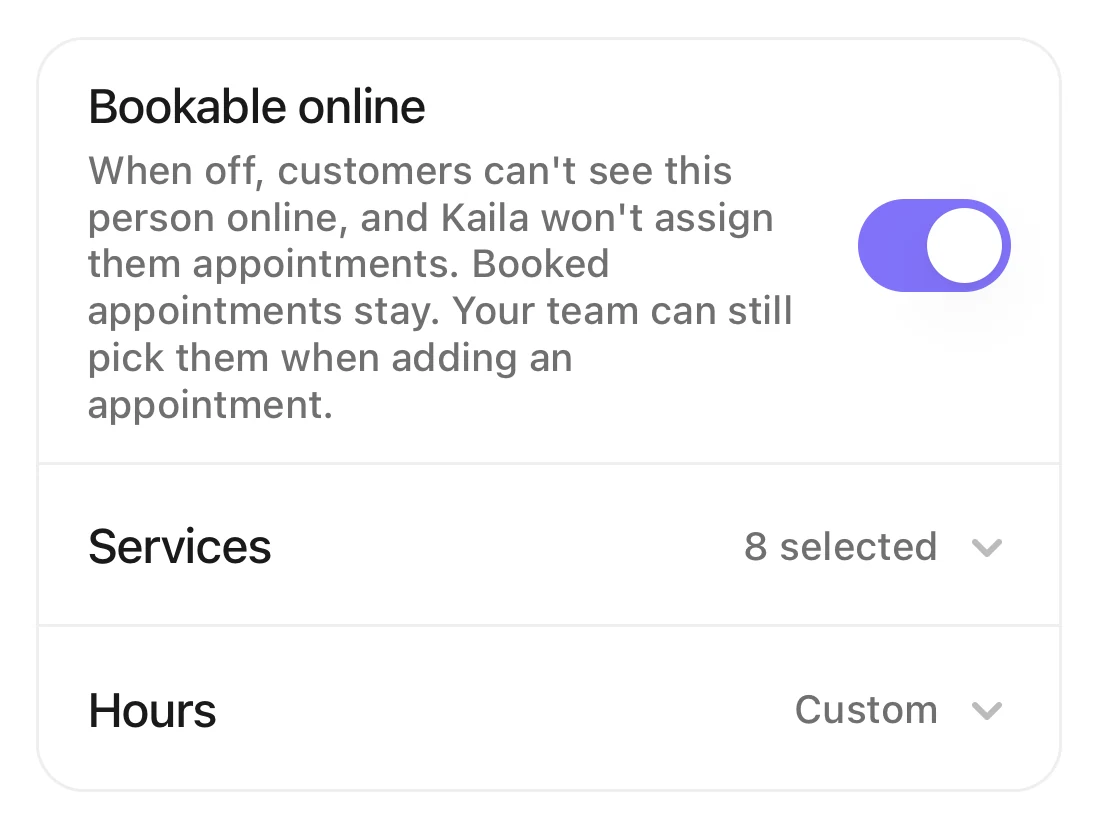
The Online booking card: the Bookable online switch, Services, and Hours.
Good to know
- When “Bookable online” is off, the two rows below it are hidden. Turn it back on and your earlier settings are still there.
- You can't turn it off for the last person who is bookable online. You see “Turn on online booking for someone else first”.
- “Services” needs at least one service. For someone who takes no appointments, turn off “Bookable online” instead.
- The bio shows on your booking site. Write it in Chinese, then tap “Translate”.How do I add the English text customers see?