
“Daily order”: who gets the first appointment each day?
For: Owner, Manager
In short
How to change it
- Go to “Settings › Advanced features”.
- Under “Staff assignment”, turn on “Set your own assignment rules”.
- Tap “Daily order” and choose one.
- Tap “Save” in the top right corner.
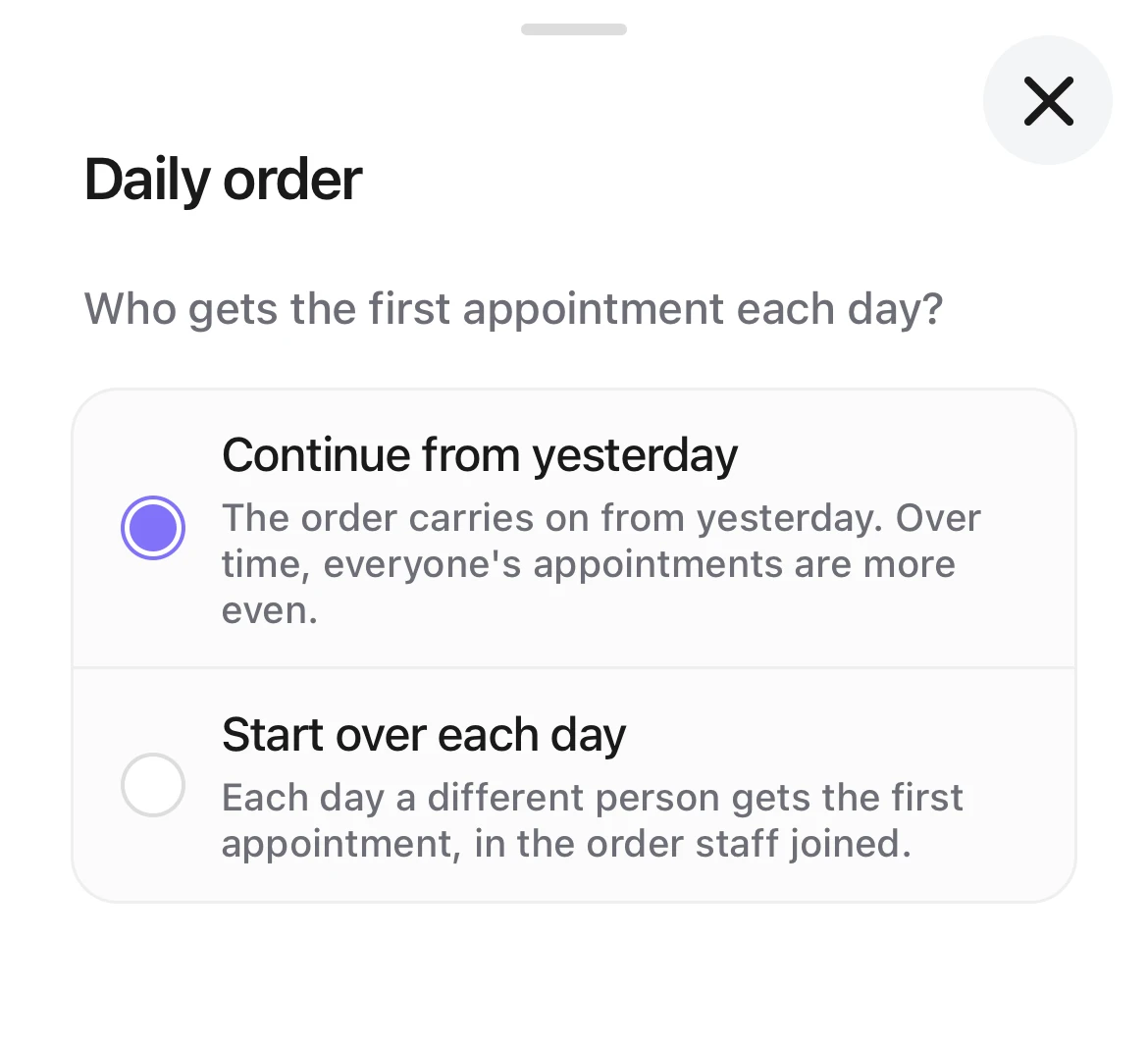
Choosing the Daily order: Continue from yesterday (selected) and Start over each day, each with how it works.
“Continue from yesterday” (the default)
The order carries on from yesterday. Over time, everyone's appointments are more even.
- With “Take turns”: Kaila looks at the last three months. Whoever took fewer goes first, and days someone didn't work don't count.
- With “By booked time”: each day counts separately. When booked time is equal, whoever has fewer appointments goes first; if that is equal too, whoever has waited longest.
- With “By number of appointments”: each day counts separately. When the number is equal, whoever has waited longest goes first.
Suits: shops that don't mind who goes first each day, and only want things even over time.
Example: with “Take turns”, A, B and C work the same hours. In the last three months A took 60 appointments, and B and C took 65 each. Today's first appointment goes to A.
“Start over each day”
Each day a different person gets the first appointment, in the order staff joined: A today, B tomorrow, C the day after.
- Anyone off that day is skipped, with no make-up later.
- Who goes first depends only on who works that day, never on bookings. Someone who isn't working yet when the shop opens doesn't go first, even if it was their turn.
- Once the shop opens, today's first person is fixed. If someone adds time off before opening, they are skipped today.
- With “Take turns”: the order starts with today's first person and follows the order staff joined. Whoever takes an appointment goes to the end. Someone who starts late joins the end when they arrive. If the person whose turn it is is busy, the appointment goes to the next free person; the busy person keeps their place and takes the next one when free. If the customer cancels or doesn't come, the turn is given back.
- With “By booked time” or “By number of appointments”: booked time or the number of appointments comes first. Today's order is used only when they are equal.
- With “Take turns”, “Staff assignment” in “Activity” shows who is “First today”. Tap it to see who goes first on the next few days.
Suits: shops used to giving the first customer to a different person each day, where everyone can work out whose turn it is.
Example: A, B, C and D joined in that order. Day 1, A goes first. Day 2 is B's turn, but B is off, so C goes first. Day 3 is D, day 4 A, day 5 B.

Good to know
- The order staff joined is the order they joined your shop. New staff, and staff who come back, go to the end. “Staff › Reorder” doesn't change it.
- Add time off for a day someone doesn't work. Without it, Kaila thinks they are working.
- A day when no one works (the shop is closed, or everyone is off) doesn't count; the next day continues the order.
- With “Priority levels” on, each level takes its own turns, and only Priority 1 staff take turns going first each day. On a day when everyone in Priority 1 is off, the next level takes turns.
- If you switch from “Start over each day” back to “Continue from yesterday”, and later back to “Start over each day”, the order continues where it left off. It doesn't start again from the beginning.