
How do I put services in categories and change their order?
For: Owner, Manager
In short
Tap “Add category” to make a category. Then choose that “Category” on each service you want in it. To change the order, tap “Reorder” in the top right corner and drag the handles on the right. Your booking site shows services in this order.
Add a category
- Go to “Settings › Services & prices” and tap “Add category” at the bottom.
- Enter the “Category name” and tap “Translate”.
- Tap “Save”.
- Open each service you want in it. Under “Category”, choose the new category and tap “Save”.
Change or delete a category
- Tap the edit icon to the right of the category name. “Edit category” opens.
- Change the name and tap “Save”, or tap “Delete category”.
When you delete a category, its services stay. They move to “No category”.
Change the order
- In “Settings › Services & prices”, tap “Reorder” in the top right corner.
- Press and hold a handle on the right, then drag services and categories up or down. You can also drag a service into another category.
- Tap “Save”.
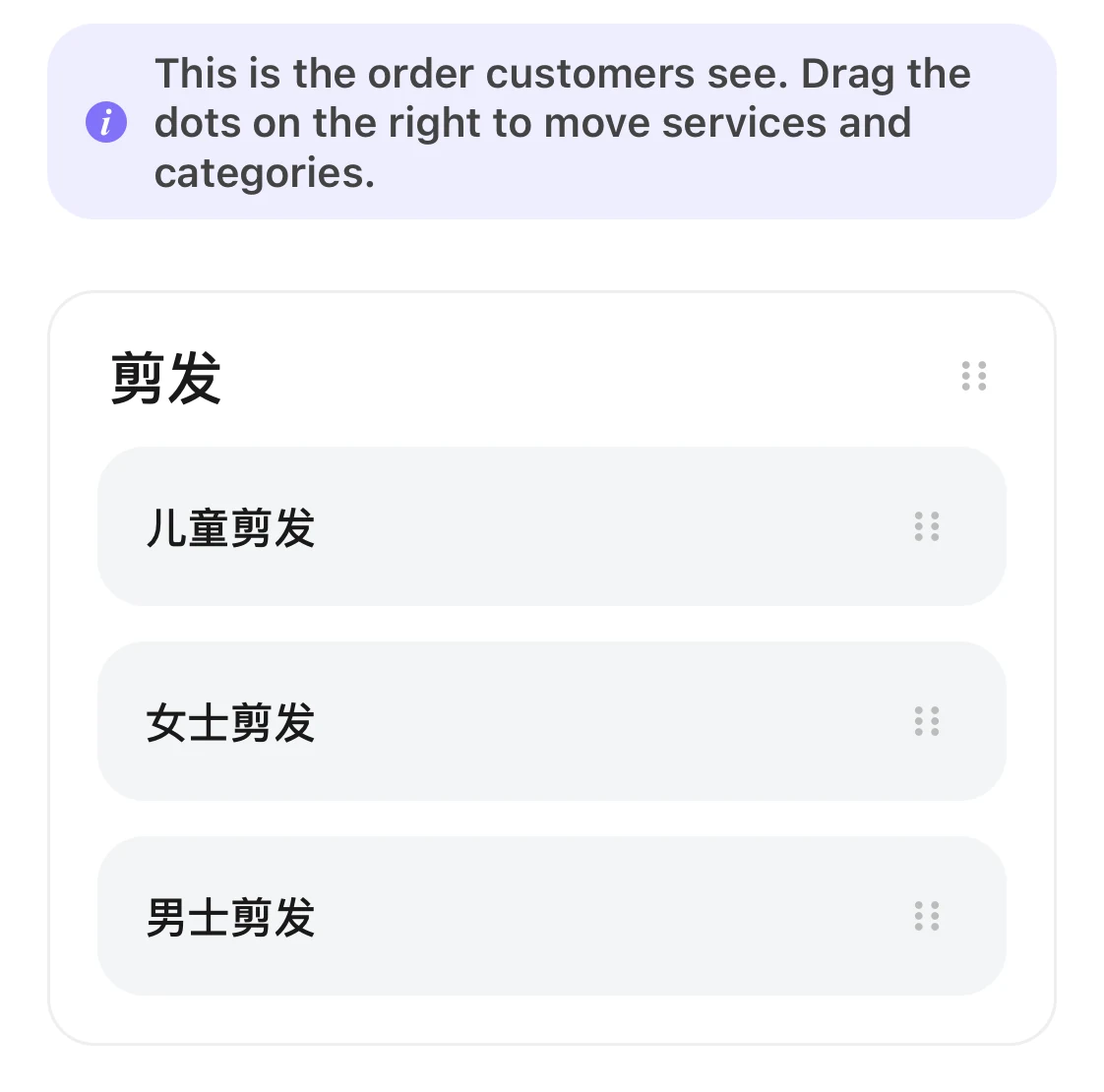
The Reorder page: each category and service has a drag handle on the right.
Good to know
- A service can be in only one category, or in none.
- An empty category still shows, so you can keep editing it.
- If you have no services yet, you don't see “Add category” or “Reorder”. Add a service first.