
How do I change, pause, or delete a service?
For: Owner, Manager
In short
In “Settings › Services & prices”, tap the service, make your changes, and tap “Save”. To stop online bookings for a while, turn off “Bookable online”. To delete it, tap “Delete service” at the bottom.
Change a service
- Go to “Settings › Services & prices” and tap the service.
- Change the name, description, category, or options. Tap an option to change its length and price, or tap “Delete option”.
- Tap “Save” in the top right corner. When you see “Service saved”, you're done.
Pause online booking
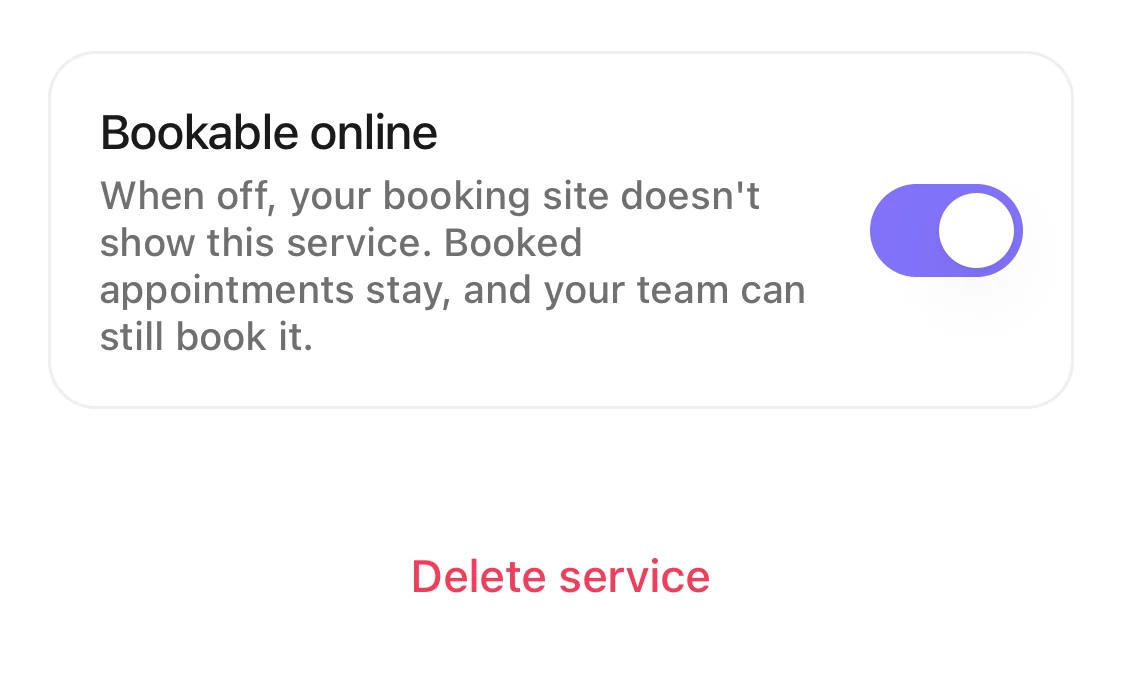
- Tap the service and turn off “Bookable online”.
- Tap “Save”.
The service no longer shows on your booking site, and the list shows “Online booking paused”. Current appointments stay. Your team can still use it when adding an appointment.
Delete a service
- Tap the service, then tap “Delete service” at the bottom.
- You see “Delete this service?”. Tap “Delete service” to confirm.
If you see “Can't delete yet”, some appointments still use this service (ones that haven't ended and aren't canceled). Tap “Pause online booking” to stop online bookings now. Delete the service after those appointments end.
Good to know
- After you delete it, customers can't book this service. Past appointments keep the service's name, length, and price.
- Each service needs at least one option. You can't delete the last one. You see “Keep at least one option”.
- You can't pause or delete your last service that is bookable online. You see “Add or turn on another service first”.