
What plan am I on, and when does my trial end?
For: Owner
In short
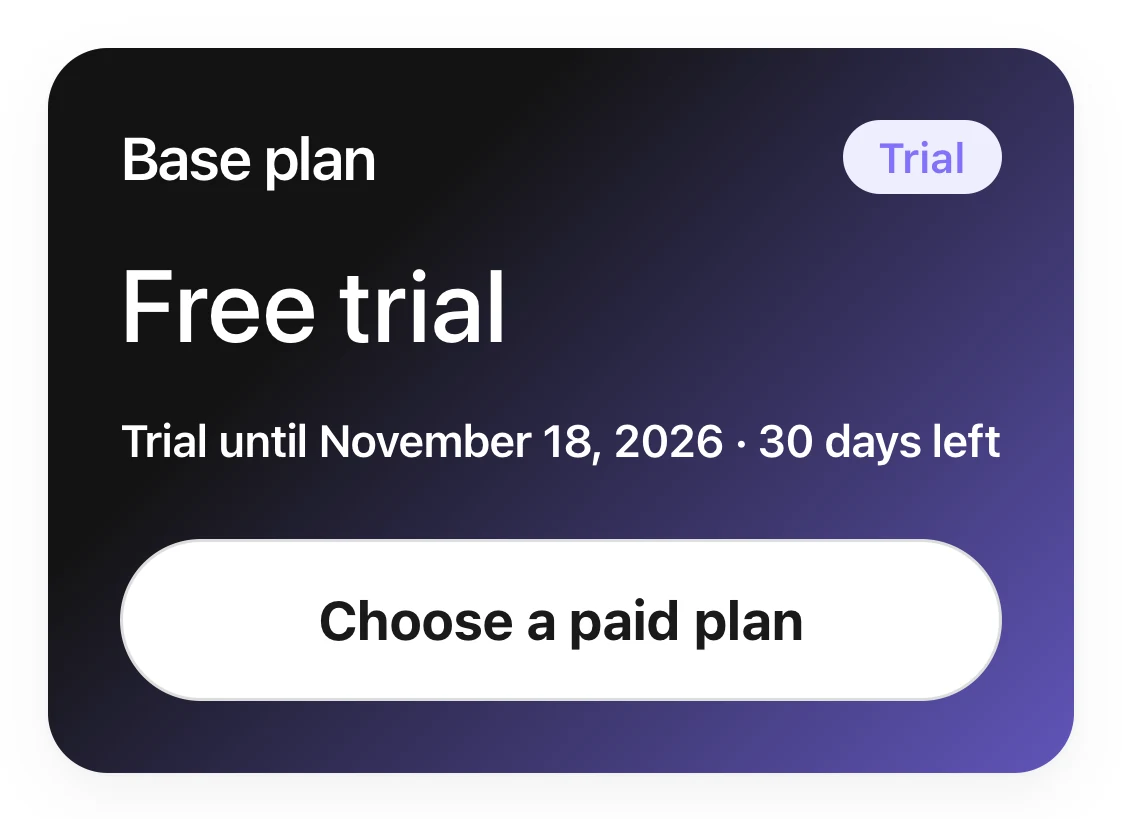
Your plan and your trial end date are on the “Base plan” card at the top of “Settings › Plan & billing”.
See your plan
- During the trial, the card shows “Free trial” and “Trial”. The line below it shows the day the trial ends and how many days are left.
- After you start paying, the card shows “Subscribed”, the monthly price, and the date of your next payment.
- Only the owner can open “Plan & billing”.
Steps: choose a plan during the trial
- Go to “Settings › Plan & billing”. On the “Base plan” card, tap “Choose a paid plan”.
- Choose “Monthly” or “Yearly”. The screen shows the price of each.
- Tap “Choose this plan”.
- Check the payment details and tap “Authorize charge at trial end”. If you don't have a card yet, the button says “Add card”. Enter your card first, then tap “Save and authorize”.
- The screen shows “Subscription set up”. Nothing is charged today. The first charge is on the day your trial ends.
Good to know
- Choosing a plan early does not shorten your trial. You keep every day that is left.
- If you haven't chosen a plan in the last 3 days of the trial, “Your trial ends soon” appears at the top of the screen.
- If the trial ends before you choose a plan, the screen shows “Online booking is paused”. Tap “Subscribe to Base plan”. Online booking comes back after you pay.
- Before you subscribe, enter your full business address in “Settings › Business info”, with the city, state, and ZIP code. Prices don't include tax. The tax is shown when you pay.