
How do I switch to monthly or yearly, cancel, or subscribe again?
For: Owner
In short
In “Settings › Plan & billing”, tap “Manage Base plan”. A switch to monthly or yearly, or a cancellation, starts at your next renewal. Nothing is charged that day.
Steps: switch to yearly or monthly
- Go to “Settings › Plan & billing” and tap “Manage Base plan”.
- Choose the other billing period: “Yearly” or “Monthly”.
- Tap “Switch to yearly at renewal” or “Switch to monthly at renewal”.
- On the next screen, tap “Schedule switch to yearly” or “Schedule switch to monthly”.
- The card shows “Switch to yearly scheduled” or “Switch to monthly scheduled”. Your current plan keeps working until that day.
To change your mind, go back to the same screen and tap “Keep monthly” or “Keep yearly”.
Steps: cancel your subscription
- At the bottom of the “Manage Base plan” screen, tap “Cancel subscription”.
- Read what stops when you cancel. To cancel, tap “Cancel subscription”. To stay, tap “Keep subscription”.
- The “Base plan” keeps working until the end of the period you paid for. After that, you are not charged again.
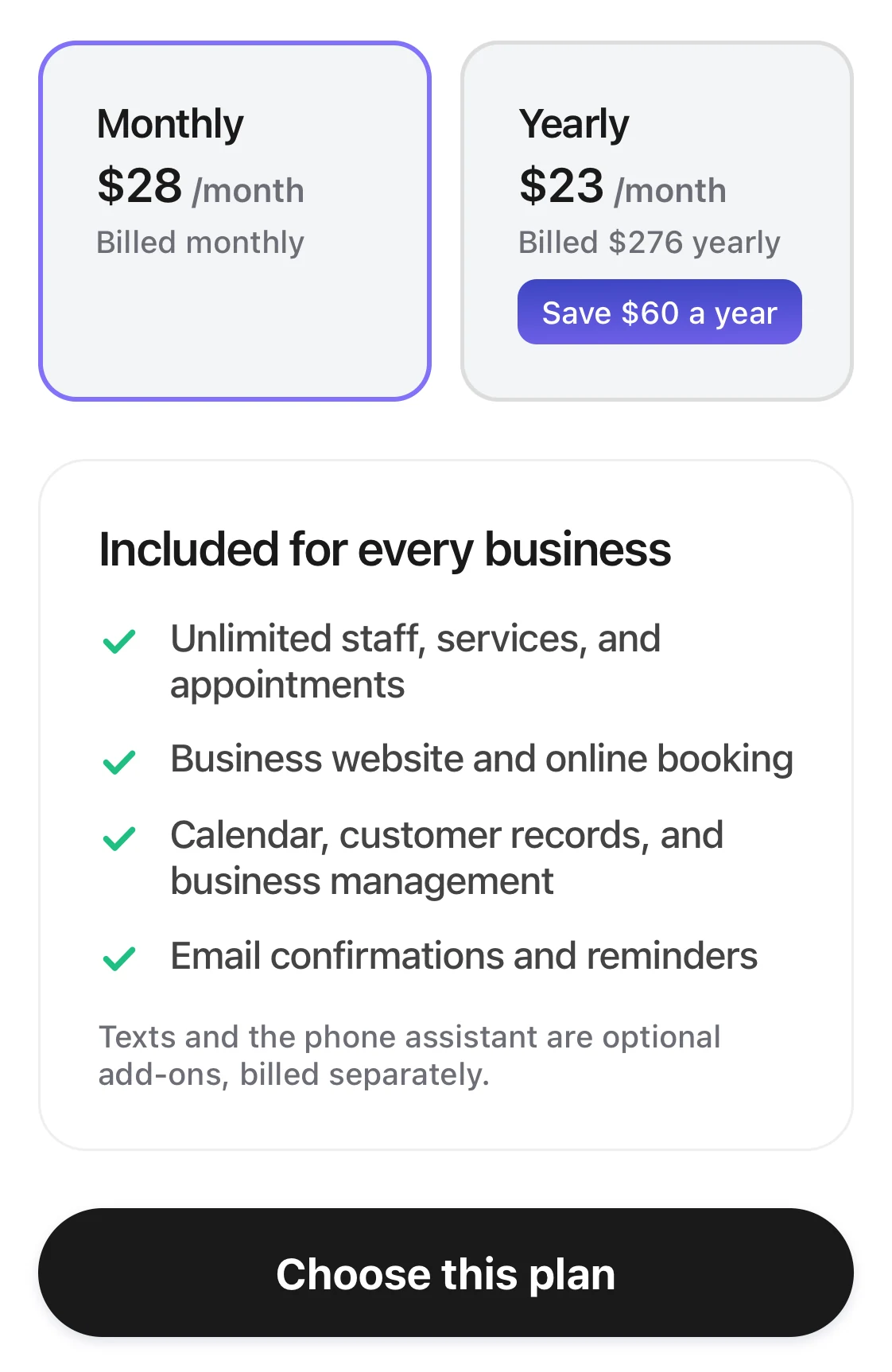
Choose a plan: the Monthly and Yearly cards, what every business gets, and Choose this plan below.
Steps: subscribe again
- On the “Base plan” card in “Plan & billing”, tap “Restart the Base plan”.
- If your paid period hasn't ended yet, tap “Subscribe again”. Nothing is charged today, and the plan renews on the same date as before. If it has already ended, you pay first. Online booking comes back as soon as you pay.
- Tap “Subscribe”, or follow the steps on the screen to pay.
Good to know
- When you cancel, your booking site, your existing appointments, and your balance all stay. If the plan ends without a renewal, online booking, appointment notifications, and the phone assistant are paused. If the phone assistant was on, its phone number is kept for 30 days.
- During the trial, the button on the card is “See your chosen plan”. If you cancel during the trial, you can still use the trial until its last day, and the first charge is canceled too. To change the billing period during the trial, choose it and tap “Update subscription”.
- If a renewal payment fails, “Base plan renewal failed” appears at the top of the screen. You need to pay that bill first. The screen tells you “Pay the overdue bill first”.
- If you cancel while a renewal payment has failed, the plan ends right away, and online booking, appointment notifications, and the phone assistant pause. The unpaid bill is canceled and won't be charged.