
How do I stop bookings on a holiday or a closed day?
For: Owner, Manager, Front desk, Professional
In short
Add “Time off” to the calendar. During time off, customers can't book those staff members online. If the whole business is closed, choose every staff member.
Steps
- Go to “Calendar”, tap +, and choose “Time off”.
- Choose the date. Then choose the “Start time” and “End time”. For a full day, choose your opening time to your closing time.
- If the time off happens again and again, tap “Repeat” and choose “Every day”, “Every week” or “Every month”. Then choose a date for “Repeat until”. It can repeat for up to 12 months.
- Under “Staff”, choose who is off. You can choose more than one person.
- To add a reason, fill in “Reason (optional)”.
- Tap “Add to calendar”.
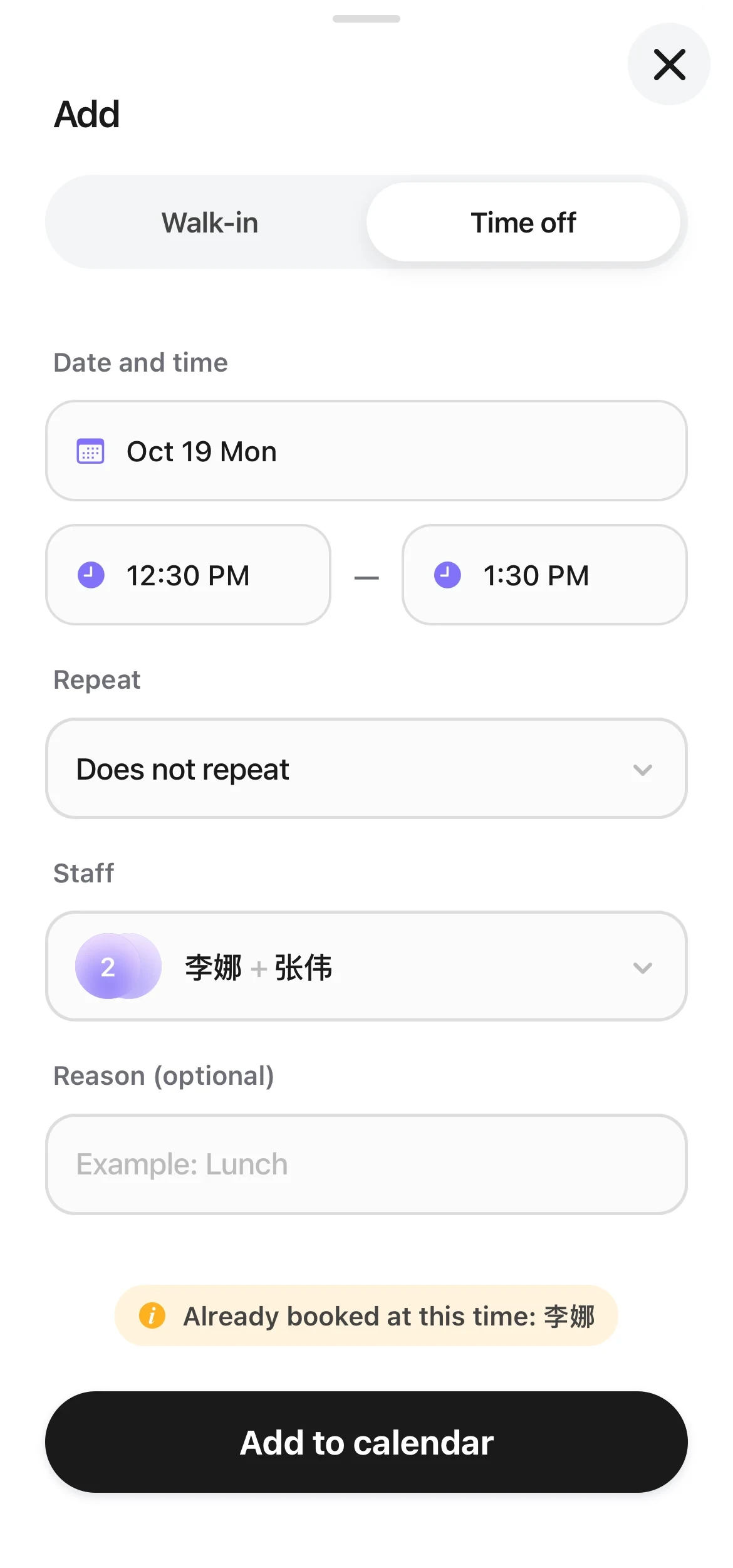
The Time off page: date and time, repeat, two staff members chosen, and a reason, with Add to calendar at the bottom.
Good to know
- Business hours are set by day of the week. For a one-time closed day, use time off. You don't need to change your business hours.
- If there are already appointments in that time, you see a warning, but you can still add the time off. Those appointments are not canceled. You need to reschedule or cancel them yourself.
- To change or delete time off, tap it on the calendar to open “Time off details”. Then tap “Edit time off” or “Delete time off”. For time off that repeats, you see “Edit only this one”, “Delete only this one” and “Delete this and later ones”.
- Every role can add time off for any staff member.